What I built
GTM Healthcare Intelligence contains two review workflows for specialty healthcare sales and reporting, plus five supporting demos. The public examples use synthetic records and embedded reference values. A separate Python pipeline can read locally supplied public-data files.
Two review workflows
ConvertPath compares funnel conversion and sales-cycle measures by specialty, source and quarter. Its completed lead cohorts are simulated. The deal-health view uses a separate synthetic scoring sample, so it should not be read as an explanation of what happened to the funnel’s individual deals. Improvement scenarios show assumed changes, not recovered revenue.
NorthStar lets a reviewer compare metric definitions, inspect named owners and review simulated reporting-adoption snapshots. Statistical alerts suggest investigation steps; they do not establish why a metric changed.
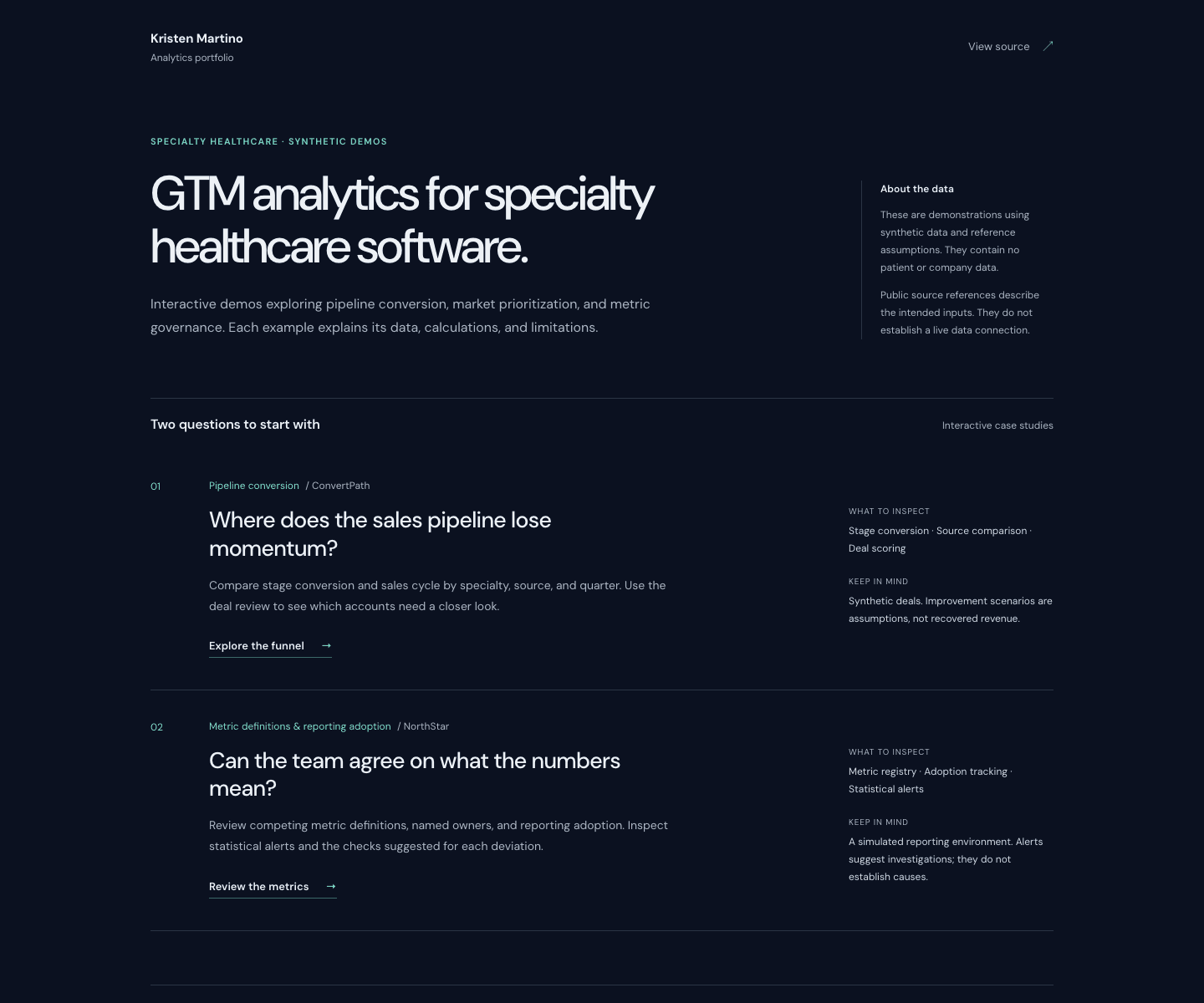
GTM Healthcare Intelligence hub, showing entry points for pipeline conversion and metric definitions, with a note describing the synthetic data. Captured October 24, 2026.
View full-size screenshot ↗
Three distinct data paths
-
Synthetic demo records. Sales cohorts, deal-scoring samples, practice benchmarks, procedure trends and governance examples are generated or hand-set for the exercises. The QBR and AskGTM share one invented sales scenario; the other demos use their own fixtures. No patient or company records are used.
-
Embedded references. SpectrumIQ bundles demographic reference values and benchmark assumptions with the project. These values are read from the checked-in example, without a live Census query. A CMS, Census, MGMA or HFMA reference names an intended source or comparison context; it does not certify that a displayed value was imported from or validated against that source.
-
Optional public-data ingestion. The SpectrumIQ Python pipeline accepts downloaded NPPES and Census files through local file paths. The NPPES path requires DuckDB. Re-running the pipeline can produce new JSON exports and records which input modes were used. This optional path is separate from the default public demo; the current snapshot does not demonstrate a completed public-data import.
The checked-in run metadata explicitly records synthetic providers and embedded_reference demographics. The pipeline source shows the optional local-file inputs.
Inspect a market comparison
In SpectrumIQ, a reviewer chooses a specialty, compares metro rankings and inspects provider counts per 100,000 people. The composite score combines a provider-density gap, population growth, Medicare population share and income assumptions.
The provider counts are synthetic; the demographic values are embedded references. Weights and opportunity tiers are analyst choices. The score does not measure existing EHR adoption, purchase intent or validated sales potential. Changing the input files would require checking those definitions and reconciling the resulting measures.
Ask questions about the examples
AskGTM and AskPractice use Claude to interpret supported questions into tool inputs. Server code validates those inputs, calculates results from the synthetic records and formats the numerical answer. The response exposes its applied filters so the reviewer can check the interpretation.
Question interpretation can still be wrong. Unsupported measures, scopes or missing denominators can require clarification. These tools do not query a live CRM, warehouse or SQL connection.
Read the sample assessment for findings, recommended fixes and supporting evidence.
Keep the demonstrations separate
PracticeFlow uses synthetic peer cohorts. The GTM version of SpecialtyPulse uses hand-set procedure series. The SpecialtyPulse Pipeline case study covers a separate Spark pipeline and dashboard; its tables do not feed this GTM example.
The exercises demonstrate calculations and review workflows. Real source accuracy, team adoption and sales outcomes need separate evaluation.