The reporting question
Which clinics are furthest from their goals, which metrics explain the gap, and how does the answer change across markets and reporting periods?
Meridian is an independent reporting project for a fictional primary-care operator, using synthetic healthcare operations data. It combines a Power BI report, SQL/dbt transformations, a shared metric dictionary, and reconciliation checks.
The screenshots below are Power BI Desktop captures from October 23–24, 2026, cropped to the report canvas. They show the June 2026 reporting period using synthetic healthcare operations data. Open any image to inspect it at full resolution.
Start with the reporting scope
The Overview shows performance for the selected market, clinic and period. Its category table identifies the metric furthest from goal in each category, while the headline cards summarize the selected population.
The metric-changes panel has its own comparison: June versus March. “Relative improvement” measures change relative to the earlier value, with the sign adjusted for whether higher or lower is better. It is a percentage change, not a percentage-point difference, and stays fixed when the period or comparison selection changes.
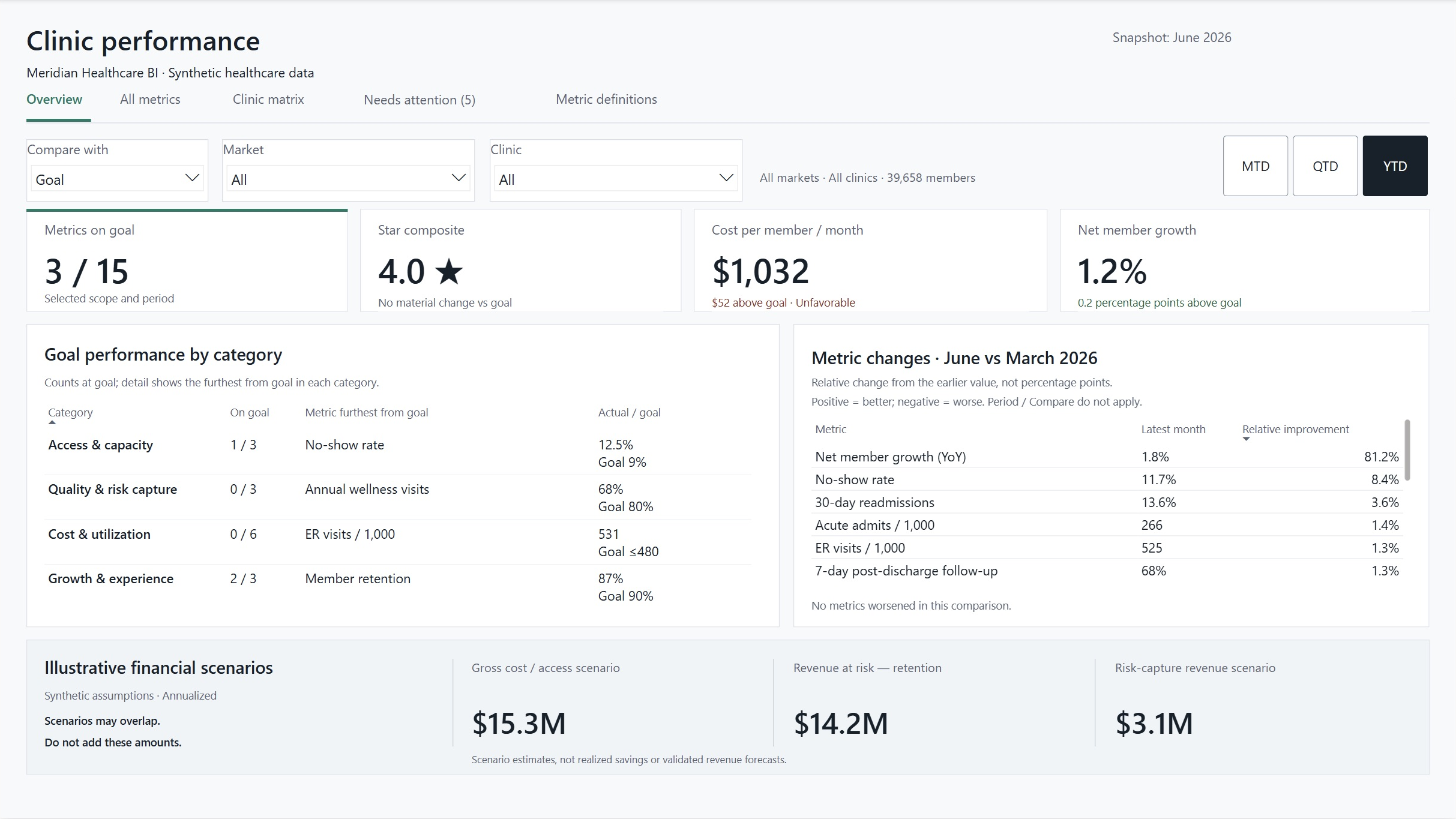
The financial cards show illustrative financial scenarios based on stated assumptions. They do not show realized savings or validated revenue forecasts. Some scenarios overlap, so their amounts should not be added together.
Compare metrics and clinics
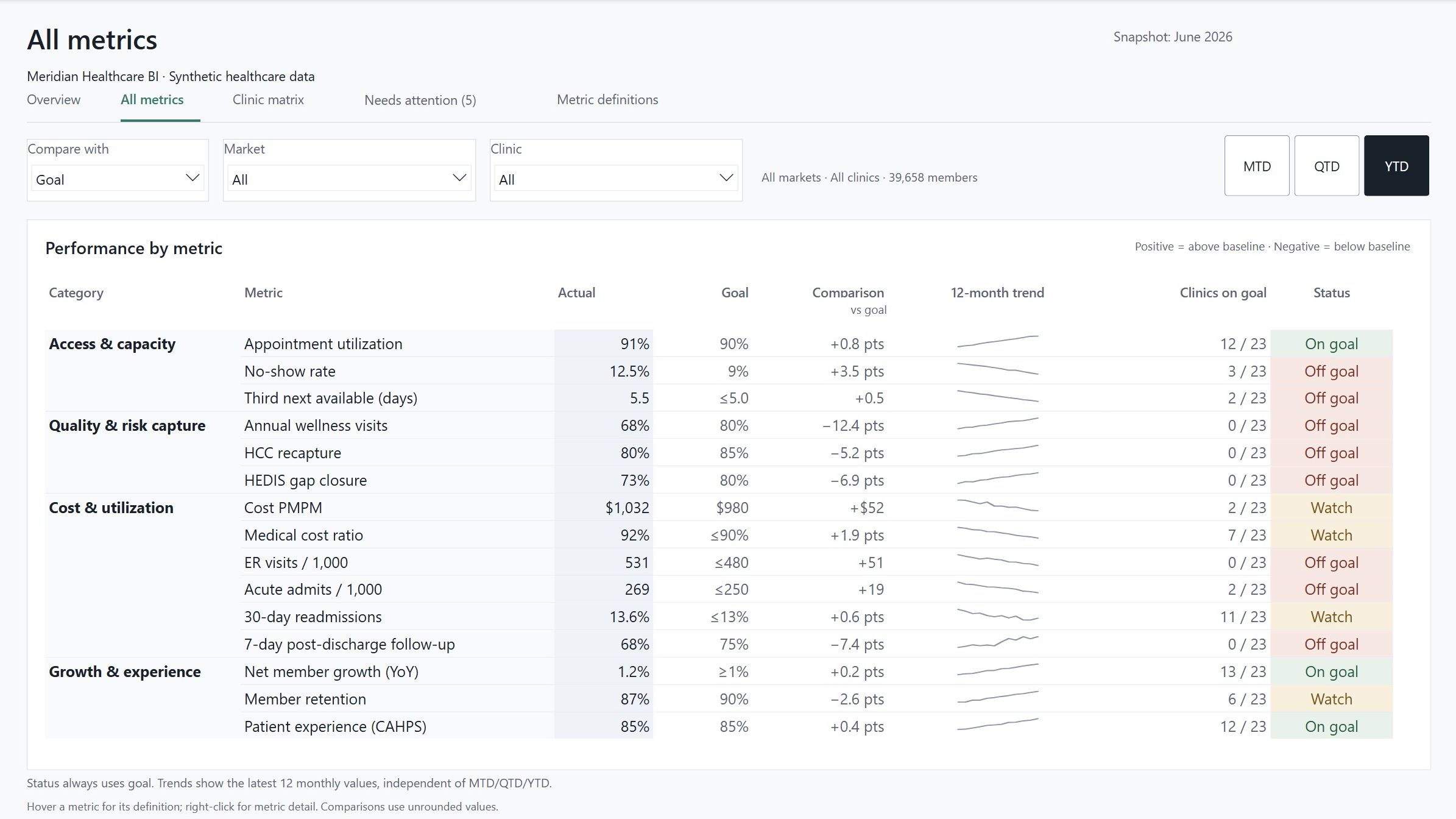
All metrics places actual, goal, comparison, trend and status in one table. The comparison column names its baseline. A positive value means above that baseline; a negative value means below it. Whether that is favorable depends on the metric’s direction. Status always uses the goal, even when the comparison changes to a prior period.
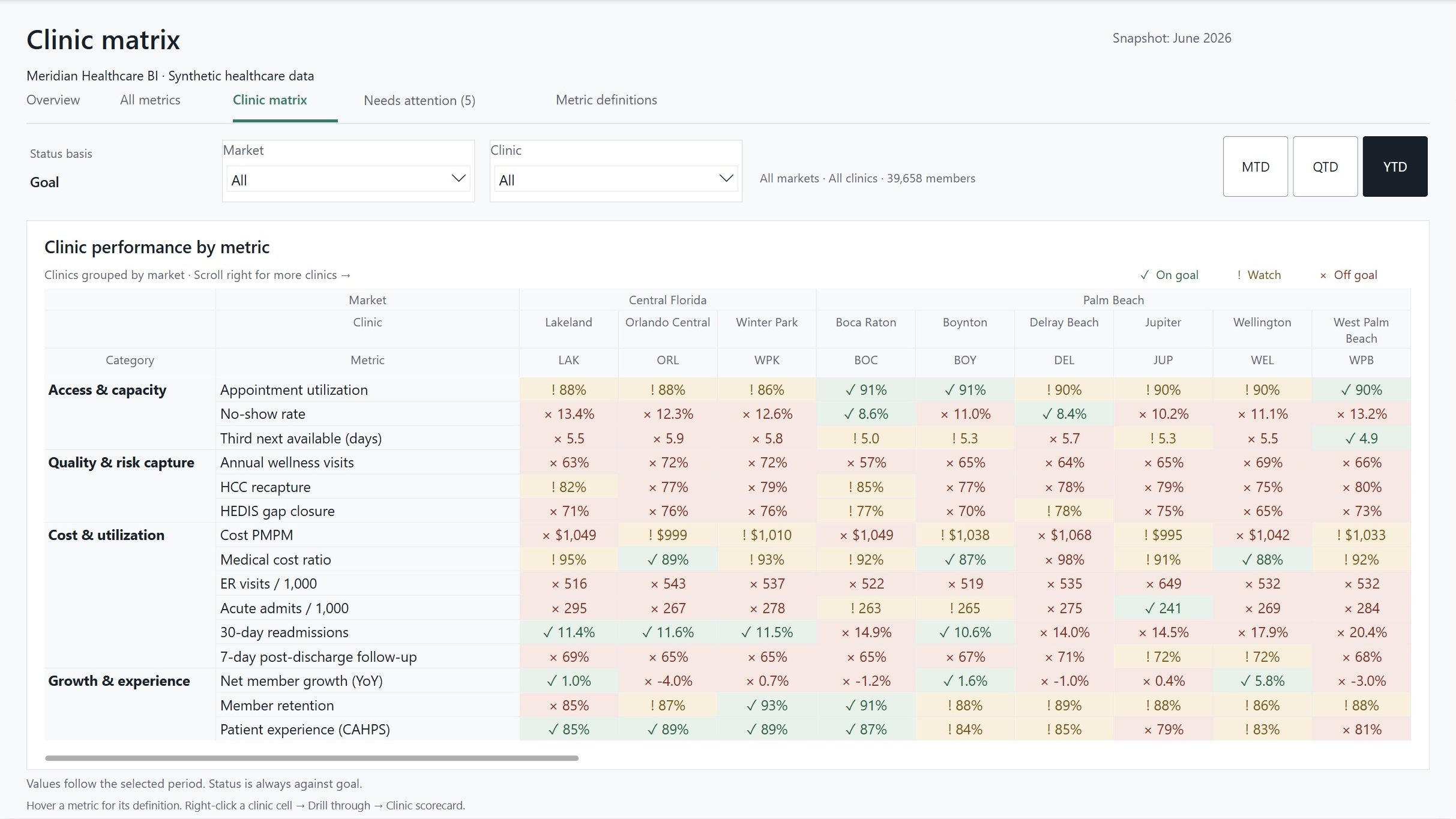
Clinic matrix compares the same measures across clinics grouped by market. Category and metric labels stay fixed during horizontal scrolling. A reviewer can open a clinic scorecard from a clinic’s value without losing the reporting period.
Identify clinics to review
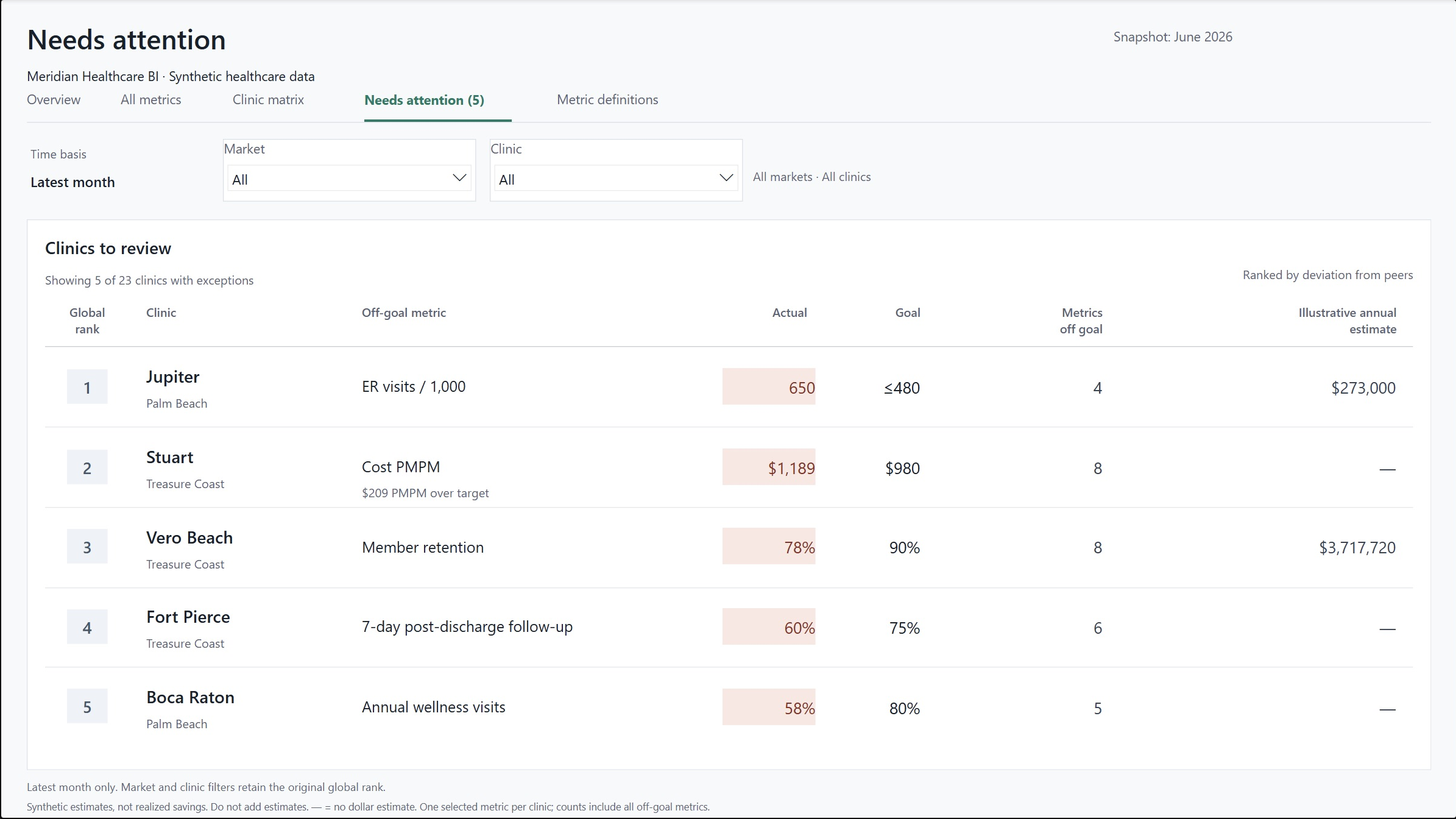
Needs attention shows up to five clinic exceptions for the latest month. The supporting model compares clinics with peers for the same metric, accounts for whether higher or lower is preferable, and selects each clinic’s most adverse eligible metric. Ranks remain global when a market or clinic filter is applied.
A flag marks an exception for review. It carries no finding about cause, clinical impact or financial outcome.
Follow a clinic into the underlying metric
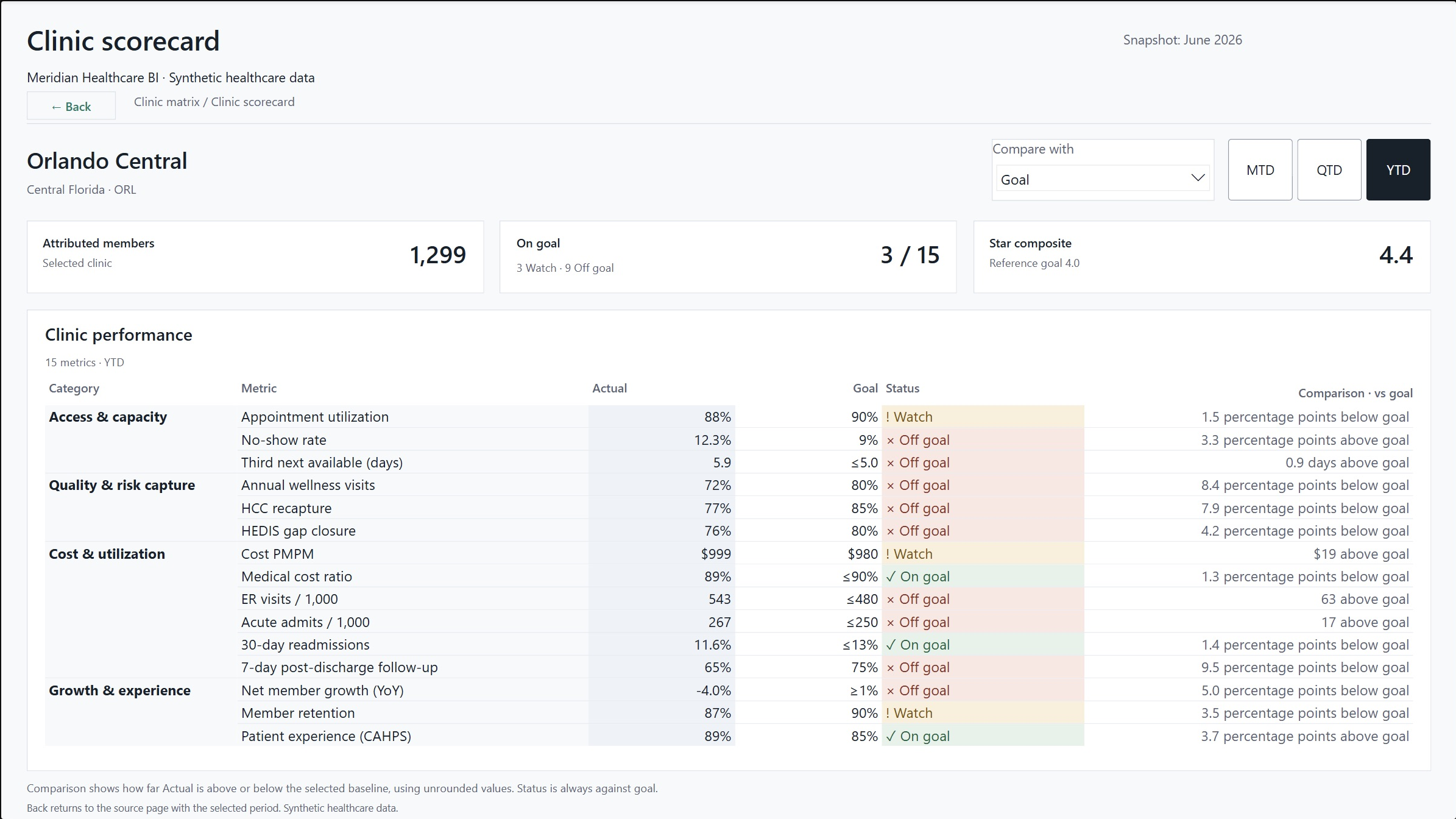
Clinic scorecard keeps the full set of 15 operational metrics available, even when the drill-through begins from a single metric. Its comparison column states how far actual is above or below the selected baseline, including percentage-point units where applicable.
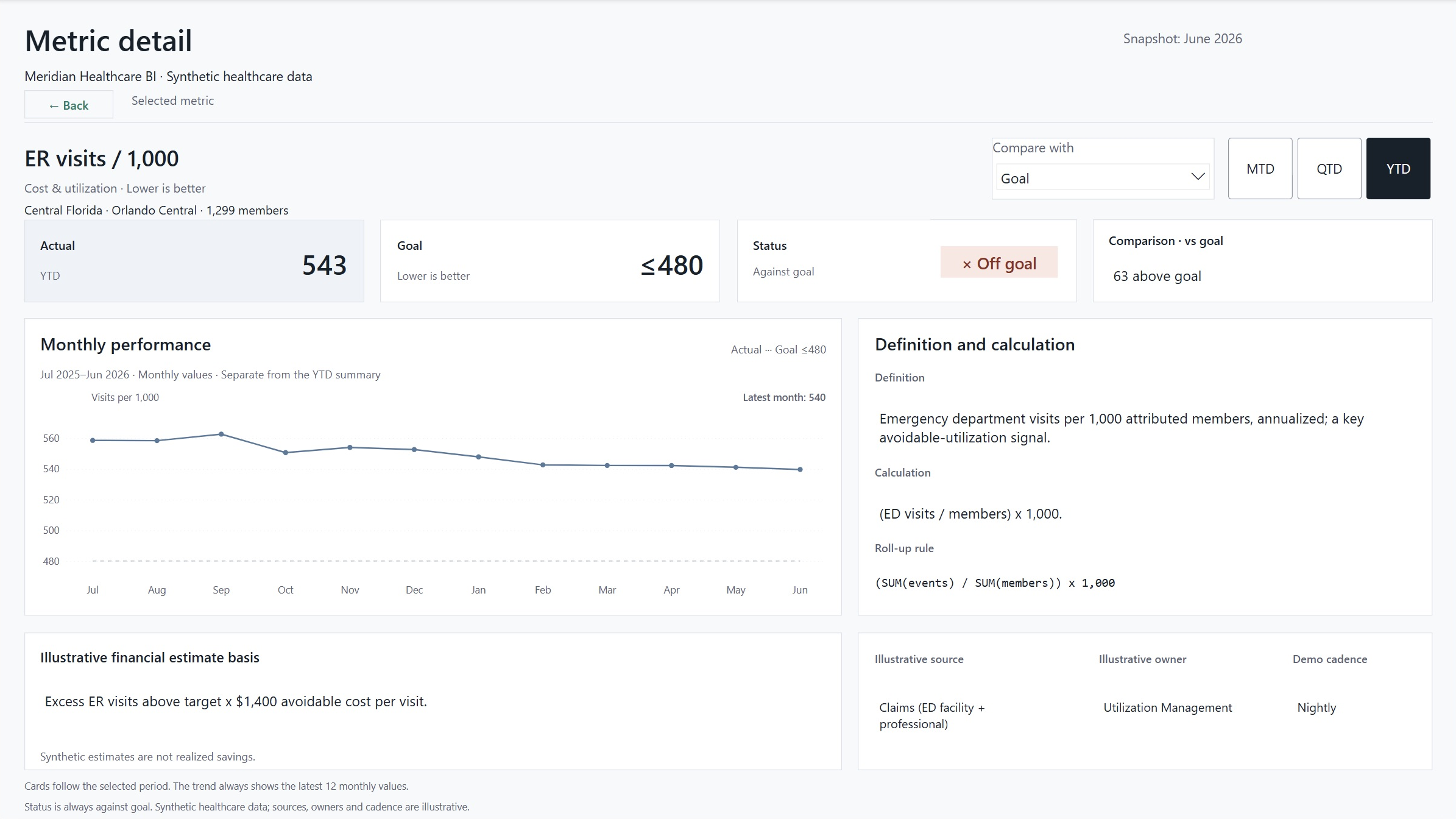
Metric detail carries the clinic or market context into a focused view of one measure. It brings the summary, comparison, monthly trend, definition and calculation together. The chart adapts to the metric’s units and shows 12 monthly values separately from the selected summary period.
Make the rules inspectable
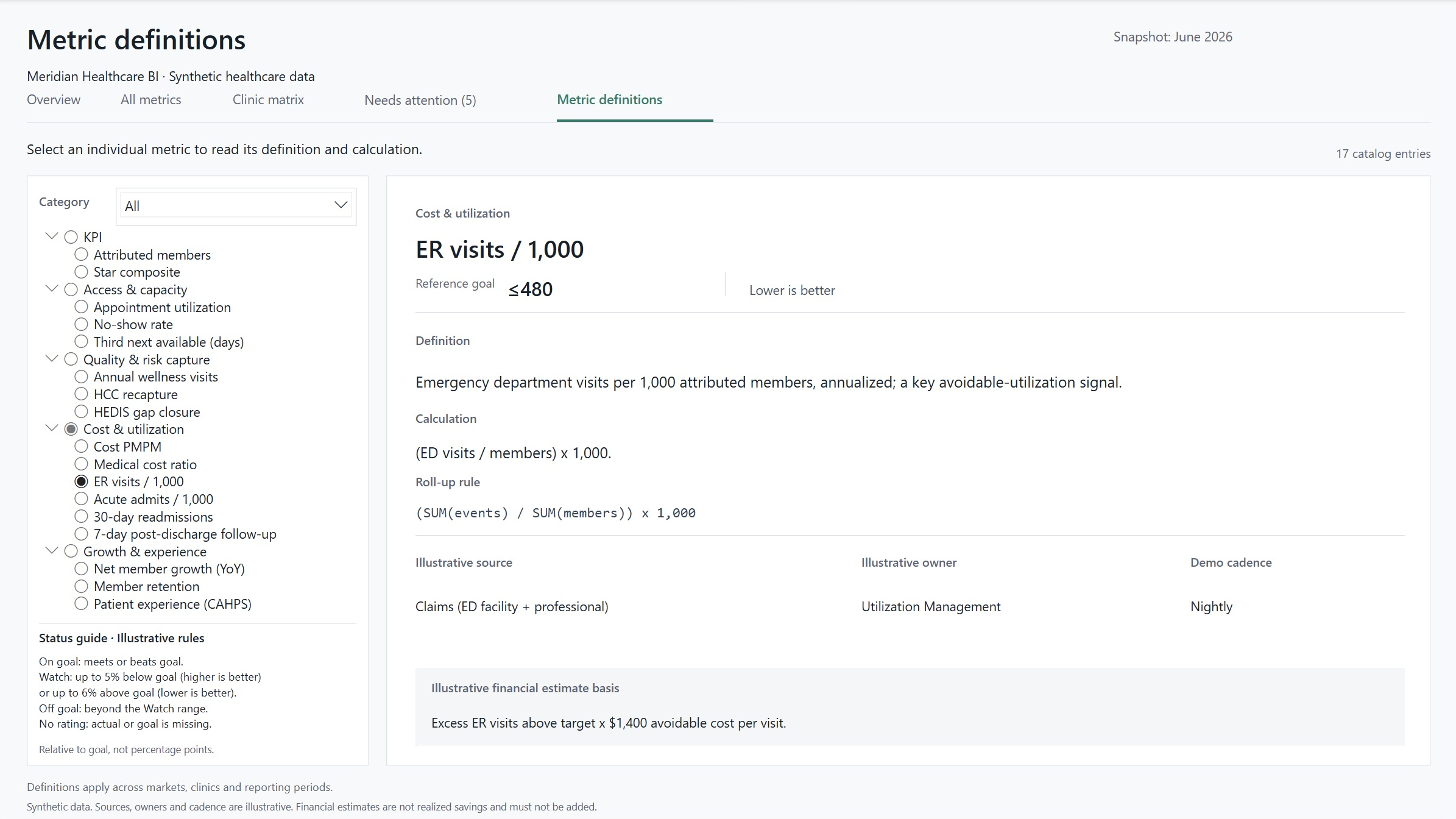
Metric definitions contains 17 catalog entries, including the operational measures, attributed members and Star composite. Each entry documents its definition, calculation, reference goal, direction and roll-up rule. Sources, owners and refresh cadence are illustrative. Financial assumptions support the illustrative financial scenarios.
The status guide explains the report’s rules. Watch allows up to 5% below goal when higher is better, or 6% above goal when lower is better. Those tolerances are relative to the goal, not percentage points. Missing actual or goal values receive no rating.
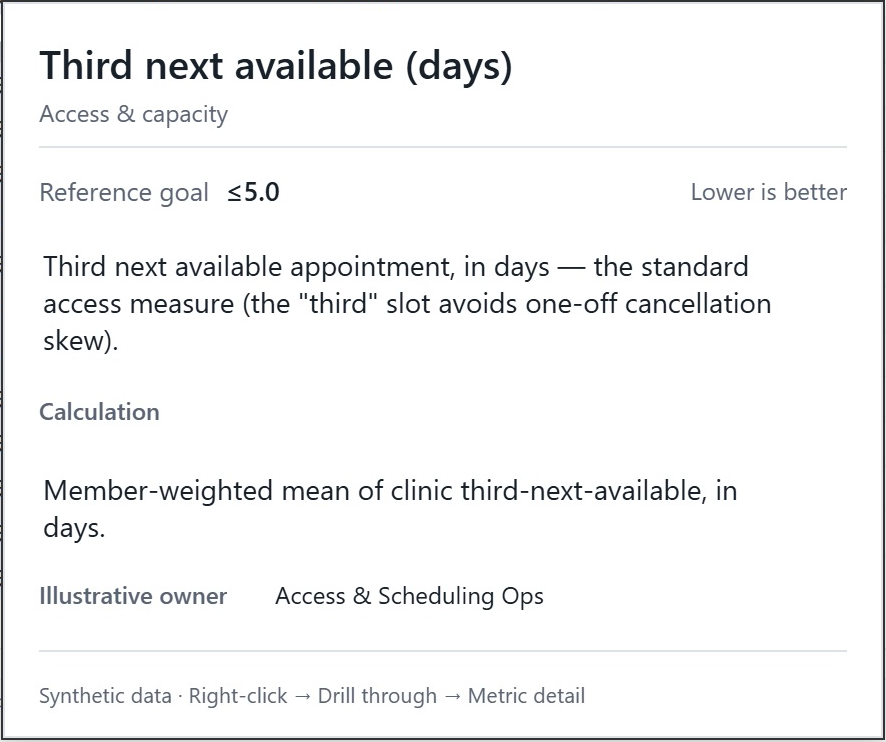
The hover tooltip provides a shorter reference directly from All metrics and Clinic matrix. It shows the selected metric’s definition, calculation, reference goal, direction and illustrative owner. Group selections prompt the reviewer to hover a single metric instead of choosing the first definition in the group.
Keep the numbers consistent
For rate metrics, the data model stores the numerator and denominator. Clinic, market and enterprise values are calculated from the summed components, rather than by averaging percentages. The SQL/dbt models and Power BI measures use the same calculation rule.
Data-layer checks cover relationships, allowed values and reconciliation across reporting levels. Native Power BI checks compare measure results with independently calculated expected values, including missing inputs, valid zero values, zero baselines and status boundaries. Report checks also covered period and comparison selections, filter carryover, drill-through, Back navigation and long-text rendering.
Accessibility metadata includes descriptions, reading order and decorative exclusions. Manual keyboard traversal and screen-reader testing remain incomplete.
What the project demonstrates
Meridian demonstrates report design, metric documentation, dimensional modeling, DAX filter behavior and reconciliation using a controlled dataset. Operational and clinical outcomes have not been measured. Financial figures come from illustrative financial scenarios.